Traditional queues were designed around the idea of “consume and remove,” meaning messages disappear once acknowledged. But modern event-driven systems needed immutable event logs where data could be retained and replayed multiple times.
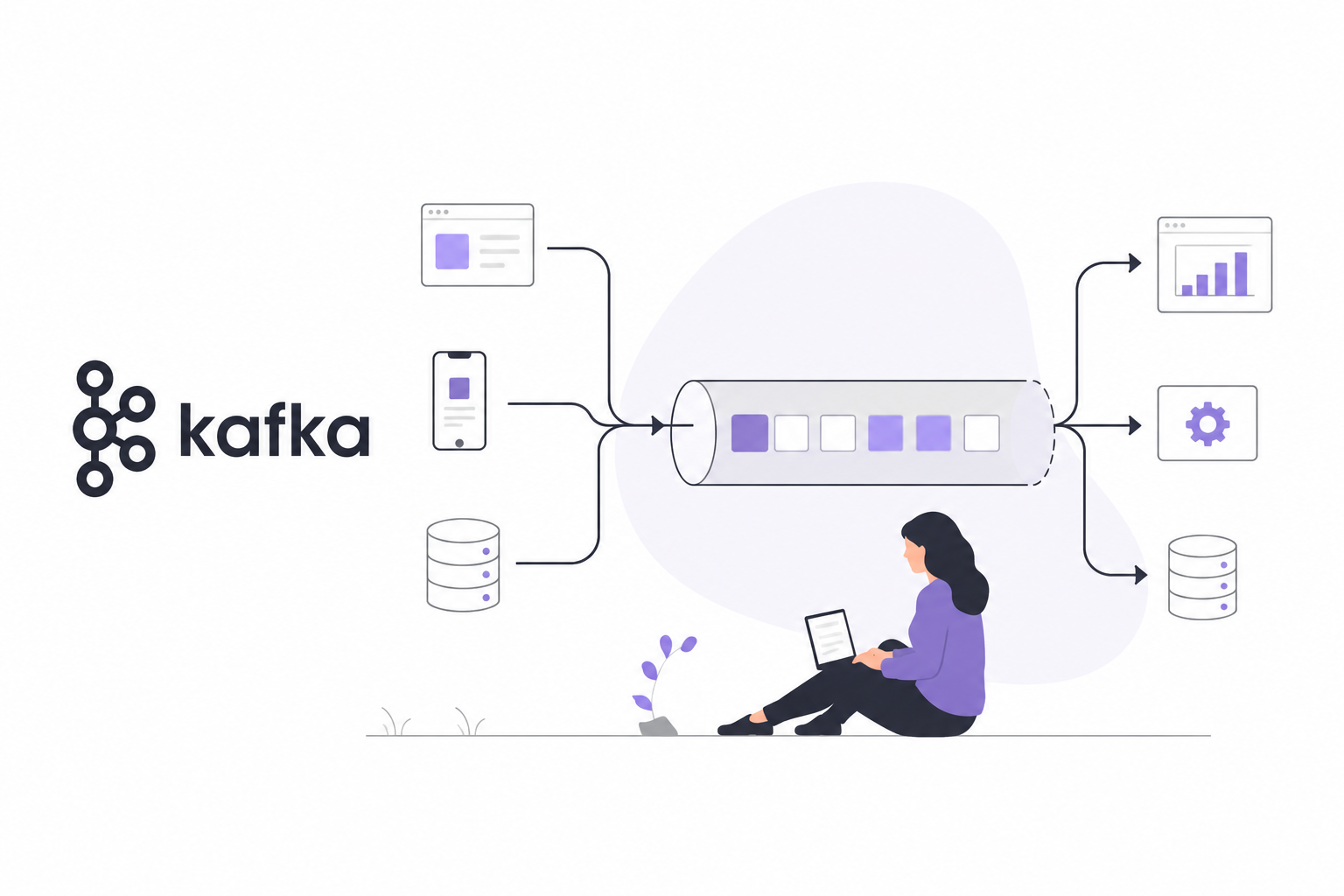
This led to the rise of distributed streaming platforms like Kafka. Instead of treating messages as temporary tasks inside a queue, Kafka treats them as persistent ordered event logs stored across distributed partitions. Consumers maintain their own offsets and decide how fast or from where they want to read the stream.
Functional Requirements
-
Long Data Retention: Assume data retention is 2 weeks.
-
Repeated Consumption of Messages:
-
Ordering Guarantees: Messages should be consumed in the same order they were produced.
Non-Functional Requirements
-
The system should be distributed in nature. It should support a sudden surge in message volume.
-
Fault Tolerance: Data should be persisted on disk and must be replicated across multiple nodes.
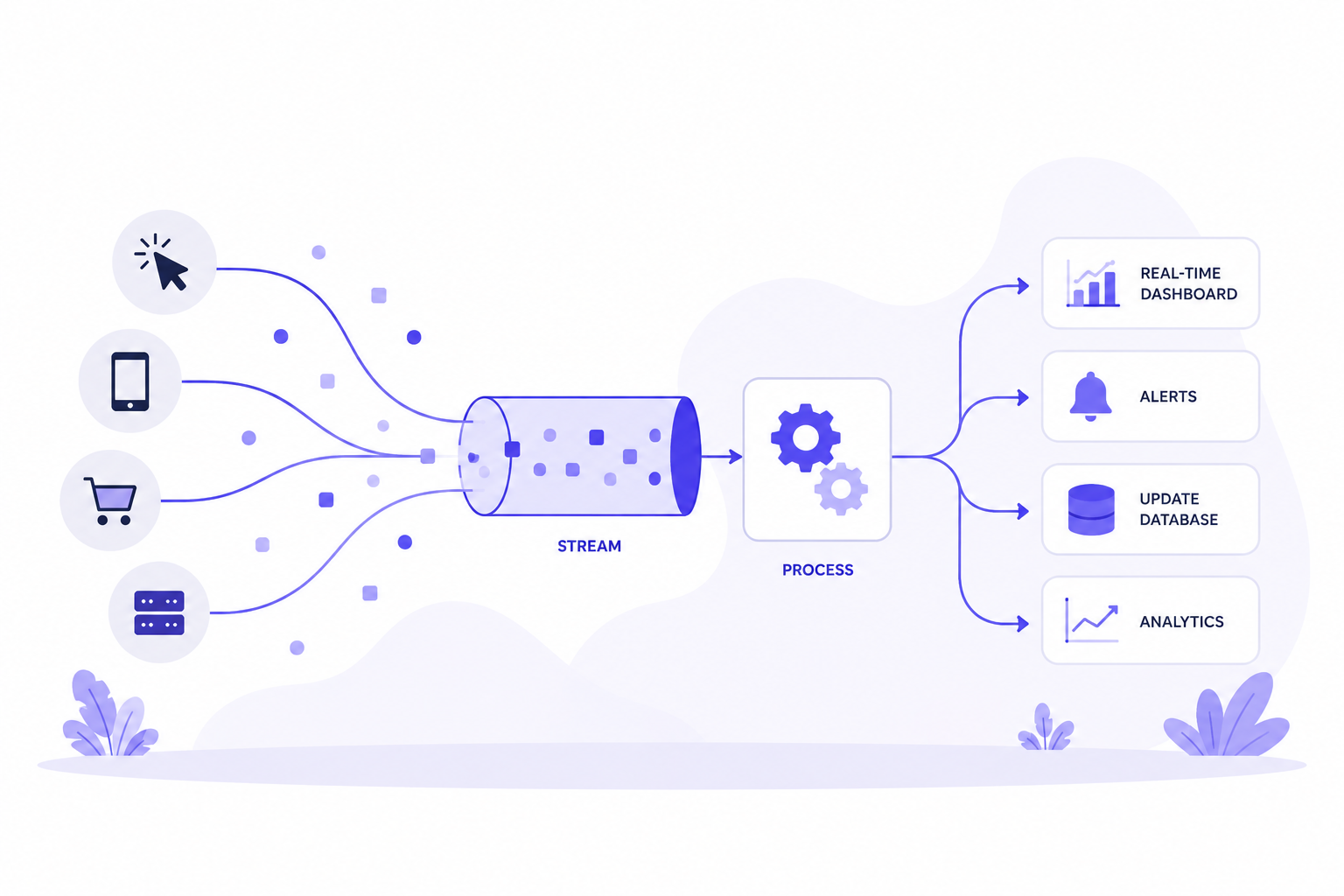
Stream Processing is a data architecture designed to handle unbounded data streams (information that is generated continuously and never truely ends).
It is the engine behind modern, reactive applications. When you receive a real-time fraud alert from your bank, see a live-updating dashboard of system metrics, or interact with an AI chatbot that adjusts its context based on your last message, you are witnessing stream processing in action.
The Fundamental Problem: Batch vs. Reality
Traditional batch processing treats data as a fixed, finite set. Because batch systems need to know when a task is finished, they must wait for the entire dataset to be ready before they can process it (for example, sorting all records to find the lowest one).
To handle continuous data in a batch model, we have to artificially slice it into time chunks (e.g., "processing an hour's worth of data at the end of every hour"). This creates two major issues:
-
Stale Data: Information is only updated when the next batch runs, which is often too slow for modern, "impatient" users.
-
Inefficiency: Constantly polling a database for new data creates significant overhead and wasted resources.
The Stream Processing Solution
Stream processing abandons these artificial time slices in favor of a continuous flow. Instead of waiting for a batch to finish, the system processes each event the moment it is generated.
Rather than a system asking the database "Are there any new updates?" (polling), the system is designed to be notified the instant an event happens (pushing).
Understanding Common Use Cases
Here are a few common real-world use cases for stream processing:
-
Fraud Detection and Security: Financial systems need to analyze transaction patterns (location, spending velocity, device ID) in real-time. If a card is used in Delhi and then in New York 10 minutes later, the stream processor triggers an instant decline.
-
Real-Time Personalization: As you browse an e-commerce site, the stream processor tracks your clicks. If you view three pairs of running shoes, the site updates the "Recommended for You" section to display running accessories before you navigate to the next page.
-
Log Aggregation and Observability: DevOps teams stream logs and metrics (CPU, memory, error rates) from thousands of microservices into a dashboard. If the error rate for a specific service spikes, the stream processor sends an alert immediately.
How Stream Processing Works?
Stream processing operates using a messaging system that continuously moves data from producers to consumers in real time, without waiting for the data to be stored in traditional databases or files first.
Kafka Architecture
Kafka fundamentally changed the architecture.
Kafka chose logs instead of traditional queues because queues fundamentally become a bottleneck for scalability, replayability, durability, and independent consumption at large scale.
The core problem with queues is that they are designed around the idea of temporary work distribution. This works well for task processing systems where a message is processed once and then discarded. However, modern distributed systems increasingly treat events as long-lived facts that multiple systems may need to process independently, replay later, or analyze historically.
                 PRODUCERS
                      ↓
              +----------------+
              |     TOPIC      |
              +----------------+
               /      |       \
              /       |        \
             ↓        ↓         ↓
       Partition-1 Partition-2 Partition-3
             ↓        ↓         ↓
          Broker-A Broker-B Broker-C
             ↓        ↓         ↓
                CONSUMER GROUPS
Topic
Kafka's most fundamental unit of organization is the topic, which is something like a table in a relational database.
A topic is a log of events. Traditional enterprise messaging systems have topics and queues, which store messages temporarily to buffer them between the source and destination.
Since Kafka topics are logs, there is nothing inherently temporary about the data in them. The logs that underlie Kafka topics are files stored on disk. When you write an event to a topic, it is as durable as it would be if it were stored in a database.
The simplicity of logs and the immutability of the contents in it are key to Kafka's success as a critical component in modern distrbuted systems.
NOTE: Topics themselves do not store data directly. Instead topics are divided into partitions.
Partition
Kafka gives us the ability to partition topics. Partitioning takes a single topic log and breaks it into multiple logs, each of which can live on a separate node in the Kafka cluster.
Each partition is append-only, ordered, and immutable log.
class Partition {

    List<Message> log;
}
Having broken a topic up into partitions, we need a way of deciding which messages to write to which partitions.
-
Typically, if a message has no key, subsequent messages will be distributed round-robin among all the topic's partitions. In this case, all partitions get an even share of the data, but we don't preserve any kind of ordering of the input messages.
-
If the message does have a key, then the destination partition will be computed from a hash of the key. This allows Kafka to guarantee that messages having the same key always land in the same partition, and therefore are always in order.
For example, if you are producing events that are all associated with the same customer, using the customer ID as the key guarantees that all of the events from a given customer will always arrive in order. This creates the possibility that a very active key will create a larger and more active partition, but this risk is small in practice and is manageable when it presents itself.
Offset
Traditional brokers track ACK state. Kafka instead lets consumers track offsets themselves.
The position of a message in a partition is called an offset.
Broker
From a physical infrastructure standpoint, Kafka is composed of a network of machines called brokers.
In a contemporary deployment, these may not be separate physical servers but containers running on pods running on virtualized servers running on actual processors in a physical data center somewhere.
Each broker hosts some sets of partitions and handles requests to write new events to those partitions or read events from them.
class Broker {

    Map<TopicPartition, Partition> partitions;
}
NOTE: Brokers also handle replication of partitions between each other. However, this is not usually a process you have to think about as a developer building systems on Kafka. All you really need to know as a developer is that your data is safe, and that if one node in the cluster dies, another will take over its role.
Producer
A producer publishes events into Kafka topics. It decides which partition receives message.
interface Producer {

    void send(String topic,Message message);
}
If a producer wants to send messages to a parition, which broker should it connect to?
To help the producer do this all Kafka nodes can answer a request for metadata about which servers are alive and where the leaders for the partitions of a topic are at any given time to allow the producer to appropriately direct its requests.
In Java, there is a class called KafkaProducer that you use to connect to the
cluster. You give this class a map of configuration parameters, including the address of some
brokers in the cluster, any appropriate security configuration, and other settings that
determine the network behavior of the producer.
Under the covers, the library is managing connection pools, network buffering, waiting for brokers to acknowledge messages, retransmitting messages when necessary, and a host of other details which no application developer needs to worry about.
Consumer
Consumers read events from partitions.
interface Consumer {

    void poll();
}
In Java, there is a class called KafkaConsumer that you use to connect to the cluster. Then
use that connection to subscribe to one or more topics.
Also, consumers need to be able to handle the scenario in which the rate of message consumption from a topic combined with the computational cost of processing a single message are together too high for a single instance of the application to keep up. That is, consumers need to scale. In Kafka, scaling consumer groups is more or less automatic.
NOTE: To handle high scale, we need to add more consumers.
ConsumerGroup
A consumer group is a set of consumers working together to consume messages from one or more topics.
Consumer Rebalancing
Inside a consumer group, the rebalancing algorithm helps to handle the cases where a consumer gets added or removed, or when it crashes.
NOTE: A single partition can only be consumed by one consumer in the same group. If the number of consumers in a group is greater than the number of partitions, some consumers will not get data from this topic.
Message
When a message is sent by a producer, it is actually sent to one of the partitions for the topic.
Each message has an optional message key (for example, a user ID), and all the messages for the same key are sent to the same partition. If the message key is not provided, the message is sent to a partition chosen at random.
class Message  {
    byte[] key;
    byte[] value;
    String topic;
    Integer partition;
    Long offset;
    Long timestamp;
    Integer size;
    Integer crc;
}
Data Storage
Explore options to persist messages
Option 1: Database
We can use a relation database where each topic will act as a table and each message will act as a row. It will provide write performance and durability.
Another option is to use a document database where each topic will act as a collection and each message will act as a document. It will provide read performance.
However, a single database cannot provide both write and read performance.
Option 2: File System (Write-Ahead Log - WAL)
WAL is just a file where new entries are appended to the end of the file with a monotonically increasing offset. The easiest option is to use the line number of the log file as the offset.
However, a file cannot grow indefinitely. We can divide the file into segments.
NOTE: WAL is used in many systems like redo logs in MySQL and the WAL in Zookeeper.
Replica Distribution Plan
The distribution of replicas for each partition is called a replica distribution plan.
Who makes the replica distribution plan?
With the help of the coordination service, one of the broker nodes is elected as the leader. It generates the replica distribution plan and persists the plan in metadata storage.
All the brokers work according to the plan.
Acknowledgment (Ack) Mechanism
If producers don't want to lose any messages, the safest way to do that is to make sure all replicas are in sync before sending an acknowledgement.
Producers can choose to receive acknowledgements until the k number of ISR (In-Sync Replicas) have received the message, where k is configurable.
ACK = all
With ACK = all, the producer gets an acknowledgement when all ISRs have received the message. This means it takes longer to send a message because we need to wait for the slowest ISR, but it gives strongest message durability.
ACK = 1
With ACK = 1, the producer gets an acknowledgement when the leader has received the message. The latency is improved because we don't have to wait for data synchronization. However, if the leader fails immediately after sending the acknowledgement and the message is not replicated to the follower nodes, the message will be lost.
This setting is suitable for low latency systems where occasional data loss is acceptable.
ACK = 0
The producer keeps sending messages to the leader without waiting for any acknowledgements, and it never retries. This setting might be good for use cases like collecting metrics or logging data since data volume is high and occasional data loss is acceptable.
NOTE: In some scenarios, reading from the leader replica is not the best option. For example, if a consumer is located in a different data center from the leader replica, the read performance suffers. In this case, it is better to enable consumers to read from the closest ISRs.
Changing the Number of Partitions
When the number of partitions is changed, the producer will be notified after it communicates with any broker, and the consumer will trigger consumer rebalancing.
If the number of partitions are decreased, the decommissioned partition cannot be removed immediately because data might be consumed by consumers for a certain amount of time. Only after the configured retention period, data can be truncated and storage space is freed up.
Data Delivery Semantics
At-Most-Once
With At-Most-Once, the producer will not receive any acknowledgement from the leader. This means that the message is not guaranteed to be delivered. If message delivery fails, there is no retry.
Consumer fetches the message and commits the offset before the data is processed. If the consumer crashes after offset commit, the message will not be reconsumed.
It is suitable for use cases like monitoring metrics, where small amount of data loss is acceptable.
At-Least-Once
Producer sends a message synchronously or asynchronously with a response callback, setting ACK = 1 or ACK = all, to make sure messages are delivered to the broker. If the message delivery fails or timeouts, the producer will retry until the message is delivered.
Consumer fetches the message and commits the offset after the data is processed. If the consumer fails to process the message, it will re-consume the message so there won't be data loss. On the other hand, if a consumer processes the message but fails to commit the offset to the broker, the message will be re-consumed when the consumer restarts, resulting in duplicates.
NOTE: A message might be delivered more than once to the broker and the consumer. It is usually acceptable for use cases where data duplication is not a problem or deduplication is possible on the consumer side.
Exactly-Once
Exactly once is the most difficult delivery semantic to implement.
Finance related use cases like payment, trading, accounting, etc. require exactly once delivery but it has a high cost for the system's performance and complexity.
NOTE: Exactly once delivery is especially important when duplication is not acceptable and the downstream service or third party doesn't support idempotency.
Important Notes
An ordering system sends all the activities about the order to a topic, but the payment system only cares about messages related to checkout and refund.
One option is to build a dedicated topic for the payment system and another topic for the ordering system. This method is simple but raise some concerns:
-
What if other systems ask for different subtypes of messages? Do we need build dedicated topics for every single consumer request?
-
It is a waste of resource to save the same messages on different topics.
-
The producer needs to change every time a new requirement comes as the producer and consumer are now tightly coupled.
Another naive approach for this is to use simple filtering where the consumer fetches the full set of messages and filters out unncessary messages during processing time. But this introduces unnecessary traffic and processing overhead.
A better solution is to handle filtering at the broker level. However, implementing this requires some careful consideration. If message contains sensitive data, they should not be readable in the message queue. The filtering logic in the broker should not extract the message payload. It is better to put data used for filtering into the metadata of the message, which can be efficiently read by the broker.
If the queue is unbounded, while it absorbs a temporary spike, sustained demand above what the workers can handle just makes the line grow without limit.
Follow Up Questions
Q. A Kafka consumer may reprocess the same event after a restart. How would you ensure that the corresponding database transaction is executed exactly once, even if the event is redelivered?
Suppose Kafka sends this event:
PaymentCompleted
----------------
payment_id: P123
account_id: A456
amount: 1000
The consumer receives it and executes:
UPDATE account
SET balance = balance + 1000
WHERE account_id = 'A456';
Initially, the account balance was ₹1000. After the update, the balance becomes ₹2000.
Now imagine the consumer crashes after the database transaction commits but before the kafka
offset is committed.
Kafka
  │
  │ Payment P123
  ↓
Consumer
  │
  ↓
DB transaction
  │
  ├── balance += 1000
  │
  └── COMMIT ✓
          │
          ↓
       CRASH 💥
          │
          ↓
Kafka offset was NOT committed
Kafka assumes the message wasn't processed sucessfully and redelivers it after restart. Now
the balance becomes ₹3000. The payment was effectively processed twice.
We need an idempotency mechanism that is atomically coupled with the business transaction. Two approaches can be used to ensure exactly-once processing:
Make the business operation idempotent
If the event naturally corresponds to a unique business entity, instead of treating the event as
"Add ₹1,000 to account", we treat it as a specific business operation like "Apply payment P123".
Our database might have:
CREATE TABLE payments (
    payment_id VARCHAR(50) PRIMARY KEY,
    account_id VARCHAR(50),
    amount DECIMAL(10, 2),
    status VARCHAR(50),
);
The payment_id PRIMARY KEY guarantees that P123 can exist only once.
The consumer receives:
payment_id: P123
account_id: A456
amount: 1000
It performs:
BEGIN;

INSERT INTO payments (
    payment_id,
    account_id,
    amount,
    status
)
VALUES (
    'P123',
    'A456',
    1000,
    'COMPLETED'
);

UPDATE account
SET balance = balance + 1000
WHERE account_id = 'A456';

COMMIT;
Create a Processed Event Table
If there isn't necessarily a natural business entity representing the operation, we can maintain a
processed_events table with the idempotency key as a unique/primary key.
CREATE TABLE processed_events (
    event_id VARCHAR PRIMARY KEY,
    processed_at TIMESTAMP
);
When processing an event, we insert its key into this table and perform the corresponding business database operation within the same database transaction. If the consumer crashes after the transaction commits but before the Kafka offset is committed, Kafka may redeliver the event. However, the idempotency key already exists, so we detect the duplicate and skip the business operation.
Both the approaches prevent the business effect from being applied twice. So the choice is:
Does the business operation have a natural unique identifier?
                 │
          ┌──────┴──────┐
         YES            NO
          │              │
          ↓              ↓
Use business        Use separate
ID as idempotency   idempotency
key                 table
NOTE: An **idempotency key is simply a value that allows us to recognize that two requests/events represent the same logical operation.