Design a distributed cache system
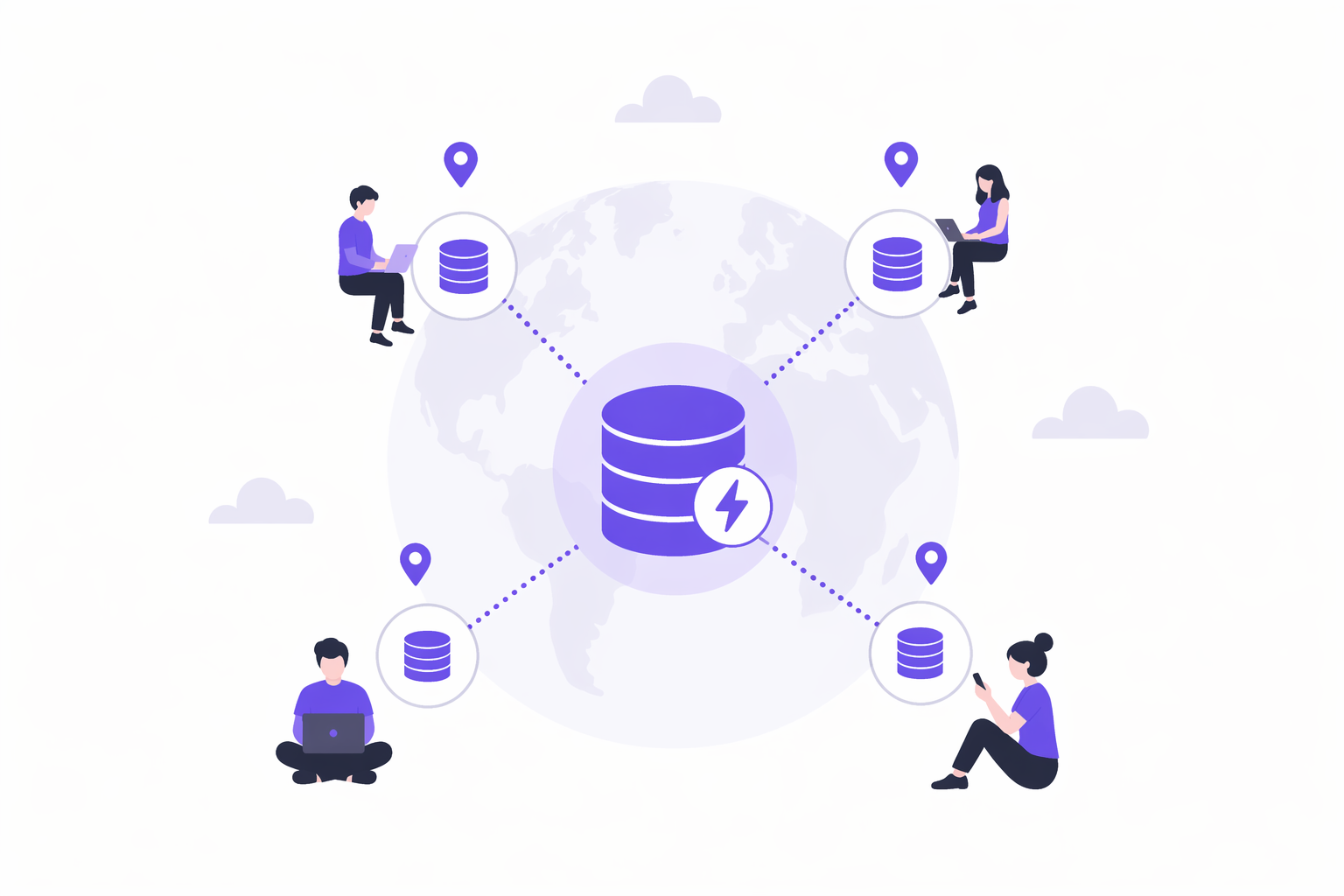
What is Caching?
Caching is the process of temporarily storing copies of data in a high-speed storage (cache) to reduce the time and cost of retrieving that data from slower sources like databases, APIs, or disk.
Caching is not a Single Component, it's a Layered Strategy
Caching can exist across multiple layers of a system, with each layer designed to solve a specific performance or scalability problem.
-
Repeated network calls & poor user experience: When users repeatedly request the same static assets (like images, CSS, or JS), making a network call every time adds unnecessary latency. Client-side caching stores this data directly in the browser (HTTP cache, localStorage), allowing instant access without hitting the network. This results in faster page loads and a smoother user experience.
-
High latency due to geographic distance: If your servers are far from users, every request has to travel long distances, increasing latency. CDNs like Cloudflare solve this by caching content at edge servers close to users. Requests are served from nearby locations, drastically reducing response times and improving global performance.
-
Database overload & high read latency: Databases like PostgreSQL can become bottlenecks under heavy read traffic. External caches such as Redis or Memcached store frequently accessed or computed data, preventing repeated database hits. This reduces load, lowers latency, and allows the system to scale efficiently.
-
Network overhead to external systems: Even calling an external cache like Redis involves network latency. In-process caching stores data directly in the application's memory, eliminating network calls entirely. This makes it the fastest backend caching layer, ideal for ultra-low-latency access, though it comes with trade-offs like lack of shared state across instances.
-
Expensive disk I/O operations: Reading from disk is slow compared to memory. Databases use internal caches (like buffer pools in PostgreSQL) to keep frequently accessed data in memory, reducing disk reads and improving query performance.
Caching Strategies for Different Workloads
Different caching strategies exist because systems have different priorities. The right choice depends on the specific problem you are solving, such as reducing database load, ensuring consistency, or handling high write traffic.
Below are the common caching strategies, reframed as solutions tailored to specific use cases:
-
Cache-Aside (Lazy Loading): The application first checks the cache (e.g., Redis). On a cache miss, it fetches data from the database (e.g., PostgreSQL), stores it in the cache, and returns the response. Use this when your system is read-heavy, you want control over what gets cached, and you can tolerate slightly stale data.
-
Write-Through Caching: The application writes data to the cache, and the cache synchronously updates the database before confirming success. Use this when your reads must always return up-to-date data (strong consistency is required), such as in financial or critical user data systems.
-
Write-Behind (Write-Back) Caching: The application writes only to the cache, and the cache asynchronously persists data to the database, often in batches. Use this when extremely high write throughput is needed and eventual consistency is acceptable (e.g., analytics, logging systems).
-
Read-Through Caching: The cache acts as a smart intermediary. On a cache miss, it automatically fetches data from the database, stores it, and returns it, without the application directly interacting with the database. Use this when you want to simplify application logic and centralize caching behavior. CDNs like Cloudflare use a similar pattern.
Cache Eviction Strategies: Managing Limited Memory Effectively
Caches are memory-constrained by design, which means they cannot store everything forever.
As new data comes in, old data must be removed intelligently to make space. This is where eviction strategies come in. They decide which data to keep and which to discard, based on usage patterns and system goals like performance or freshness.
-
LRU (Least Recently Used): LRU removes the item that hasn’t been accessed for the longest time, assuming that recently used data is more likely to be used again. Use this when your workload has temporal locality (e.g., user sessions, recently viewed items), where recent data is more relevant.
-
LFU (Least Frequently Used): LFU evicts the least frequently accessed items by maintaining access counts for each key. This ensures that consistently popular data stays in the cache. Use this when certain items remain popular over time (e.g., trending videos, top playlists).
-
FIFO (First In First Out): FIFO removes the oldest inserted item, regardless of how often or recently it was accessed. Use this when simplicity is more important than optimization, though it’s rarely ideal for real-world caching due to poor hit rates.
-
TTL (Time To Live): TTL assigns an expiration time to each cache entry, automatically removing data after a set duration. Use this when data must be refreshed periodically (e.g., API responses, authentication tokens, or time-sensitive data).
Caching makes systems faster, but it also introduces new failure modes.
- Cache Stampede (Thundering Herd): A cache stampede happens when a popular cache entry expires and many requests try to rebuild it at the same time. There is a brief window, even if only a second, where every request misses the cache and goes straight to the database. Instead of one query, you suddenly have hundreds or thousands, which can overload the database.
How to handle it:
-
Request coalescing (single flight): Allow only one request to rebuild the cache while others wait for the result. This is the most effective solution.
-
Cache warming: Refresh popular keys proactively before they expire. This only helps when using TTL-based expiration. If you invalidate cache on writes instead, warming does not prevent stampedes.
-
Cache Consistency: Cache consistency problems are some of the most commonly discussed in system design interviews. They happen when the cache and database return different values for the same data. This is common because most systems read from the cache but write to the database first. That creates a window where the cache still holds stale data.
For example, if a user updates their profile picture, the new value is written to the database but the old value might still be in the cache. Other users may see the outdated profile picture until the cache eventually refreshes. There is no perfect solution. You choose a strategy based on how fresh the data must be.
How to handle it: Cache invalidation on writes: Delete the cache entry after updating the database so it gets repopulated with fresh data. Short TTLs for stale tolerance: Let slightly stale data live temporarily if eventual consistency is acceptable. Accept eventual consistency: For feeds, metrics, and analytics, a short delay is usually fine.
When to Bring Up Caching?
Don't jump straight to caching. You need to establish why it's necessary first. Bring up caching when you identify one of these problems:
-
Read-heavy workload: "We're serving 10M daily active users, each making 20 requests per day. That's 200M reads hitting the database. Even with indexes, we're looking at 20-50ms per query. A cache drops that to under 2ms and takes most of the load off the database."
-
Expensive queries: "Computing a user's personalized feed requires joining posts, followers, and likes across multiple tables. That query takes 200ms. We can cache the computed feed for 60 seconds and serve it in 1ms from Redis."
-
High database CPU: "Our database CPU is hitting 80% during peak hours just serving reads. The same queries run over and over. Caching the hot queries will cut database load by 70-80%."
-
Latency requirements: "We need sub-10ms response times for the API. Database queries are taking 30-50ms. We have to cache."
How to Introduce Caching?
Once you've established the need for caching, walk through your caching strategy systematically:
-
Identify the bottleneck: Start by pointing to the specific problem caching will solve. Is it database load? Query latency? Expensive computations? Be specific about what's slow and why. "User profile queries are hitting the database 500 times per second during peak hours. Each query takes 30ms. That's our bottleneck."
-
Decide what to cache: Not everything should be cached. Focus on data that is read frequently, doesn't change often, and is expensive to fetch or compute. "We'll cache user profiles since they're read on every page load but only updated when users edit their settings. We'll also cache the trending posts feed since it's computed from expensive aggregations but only needs to refresh every minute." Think about cache keys. How will you look up cached data? For user profiles, the key might be user:123:profile. For trending posts, it could be trending:posts:global.
-
Choose your cache architecture: Pick a caching pattern that matches your consistency requirements. Write-through makes sense when you need strong consistency. Write-behind works for high-volume writes where you can tolerate some risk. "I'll use cache-aside. On a read, we check Redis first. If it's there, return it. If not, query the database, store the result in Redis, and return it." If you're dealing with static content like images or videos, mention CDN caching. If you have extremely hot keys that get hammered, mention in-process caching as an optimization layer.
-
Set an eviction policy: Explain how you'll manage cache size. LRU is the safe default answer. TTL is essential for preventing stale data. "We'll use LRU eviction with Redis and set a TTL of 10 minutes on user profiles. That keeps the cache from growing unbounded while ensuring profiles don't get too stale. If a user updates their profile, we'll invalidate the cache entry immediately."
-
Address the downsides: Caching introduces complexity. Show you've thought about the trade-offs.
-
Cache invalidation: How do you keep cached data fresh? Do you invalidate on writes, rely on TTL, or accept eventual consistency? "When a user updates their profile, we'll delete the cache entry so the next read fetches fresh data from the database."
-
Cache failures: What happens if Redis goes down? Will your database get crushed by the sudden traffic spike? "If Redis is unavailable, requests will fall back to the database. We'll add circuit breakers so we don't overwhelm the database with a stampede. We might also consider keeping a small in-process cache as a last-resort layer."
-
Thundering herd: What happens when a popular cache entry expires and 1000 requests try to refetch it simultaneously? "For extremely popular keys, we can use probabilistic early expiration or request coalescing so only one request fetches from the database while others wait for that result."
-
Non-Functional Requirements
-
The
getandputoperations must execute inO(1)average time complexity, ensuring constant-time performance regardless of the number of elements in the cache. This requirement is critical to support high-performance use cases where frequent reads and writes are expected. -
Need high availability and reliability (fault tolerance).
-
Eventual consistency is acceptable.
Sequence Flow
Design Rationale
- Each node has its own LRU cache.
- Consistent hashing to handle data partitioning.
DistributedCache (Coordinator)
This class coordinates all cache nodes.
class DistributedCache {

    // 1. Locate the partition, elect leader for the partition
    private PartitionManager partitionManager;

    // 2. Route writes
    private ReplicationService replicationService;

        /**
     * Write request.
     */
    public void put(int key,
                    int value) {

        Partition partition =
                partitionManager.getPartition(key);

        partition
                .getPrimary()
                .put(key, value);

        System.out.println(
                "Stored key "
                        + key
                        + " in Partition "
                        + partition.getPartitionId());

        // ReplicationService will be called here later.
        replicationService.replicate(partition, key, value); // request immediately returns to the client, no waiting
        // TODO: should pass replication event to the service, including version number to prevent data loss
    }

    /**
     * Read from primary.
     */
    public int get(int key) {

        Partition partition =
                partitionManager.getPartition(key);

        return partition
                .getPrimary()
                .get(key);
    }
}
How to Handle Data Partitioning?
PartitionManager depends on an abstraction like PartitionStrategy. This follows the
Strategy Pattern and lets you swap partitioning algorithms without changing the rest of
the system.
public class PartitionManager {

    private static final int HEALTH_CHECK_INTERVAL = 5;

    private final PartitionStrategy strategy;

    private final Map<Integer, Partition> partitions;

    private final ScheduledExecutorService scheduler =
            Executors.newSingleThreadScheduledExecutor();

    public PartitionManager(
            PartitionStrategy strategy,
            Map<Integer, Partition> partitions) {

        this.strategy = strategy;
        this.partitions = partitions;
    }

    /**
     * Start periodic health monitoring.
     */
    public void start() {

        scheduler.scheduleAtFixedRate(
                this::checkPartitionHealth,
                0,
                HEALTH_CHECK_INTERVAL,
                TimeUnit.SECONDS);
    }

    /**
     * Stop monitoring.
     */
    public void shutdown() {
        scheduler.shutdownNow();
    }

    /**
     * Route a key to its partition.
     */
    public Partition getPartition(int key) {

        int partitionId =
                strategy.getPartitionId(key);

        return partitions.get(partitionId);
    }

    /**
     * Periodically checks every partition's leader.
     */
    private void checkPartitionHealth() {

        for (Partition partition : partitions.values()) {

            ReplicaNode primary = partition.getPrimary();

            if (!primary.isHealthy()) {

                promoteLeader(partition);
            }
        }
    }

    /**
     * Promote the first healthy replica.
     */
    private void promoteLeader(Partition partition) {

        for (ReplicaNode replica : partition.getReplicas()) {

            if (replica.isHealthy()) {

                partition.setPrimary(replica);

                System.out.println(
                        replica.getNodeId()
                        + " promoted as PRIMARY for Partition "
                        + partition.getPartitionId());

                return;
            }
        }

        System.out.println(
                "No healthy replicas available for Partition "
                + partition.getPartitionId());
    }
}
PartitionStrategy: ConsistentHashRing
public interface PartitionStrategy {

    int getPartitionId(int key);

    void addPartition(int partitionId);

    void removePartition(int partitionId);
}

public class ConsistentHashRing implements PartitionStrategy {

    private final TreeMap<Integer, Integer> ring = new TreeMap<>();

    @Override
    public Partition getPartition(int key) {
        int hash = hash(String.valueOf(key));

        Map.Entry<Integer, Integer> entry =
                ring.ceilingEntry(hash);

        if (entry == null) {
            entry = ring.firstEntry();
        }

        return entry.getValue();
    }

    @Override
    public void addPartition(int partitionId) {
        // Add virtual nodes
    }

    @Override
    public void removePartition(int partitionId) {
        // Remove virtual nodes
    }

    private int hash(String value) {
        return Math.abs(value.hashCode());
    }
}
NOTE: If you want to make the design even more extensible, separate the hash algorithm from the partitioning strategy. This lets you change the hashing algorithm without modifying the core implementation.
Partition
A partition represents one shard of the cache.
import java.util.List;

public class Partition {

    private final int partitionId;

    private final ReplicaNode primary;

    private final List<ReplicaNode> replicas;

    public Partition(int partitionId,
                     ReplicaNode primary,
                     List<ReplicaNode> replicas) {

        this.partitionId = partitionId;
        this.primary = primary;
        this.replicas = replicas;
    }

    public int getPartitionId() {
        return partitionId;
    }

    public ReplicaNode getPrimary() {
        return primary;
    }

    public List<ReplicaNode> getReplicas() {
        return replicas;
    }
}
ReplicaNode
A replica is simply a wrapper around an LRU cache.
public class ReplicaNode {

    private final String nodeId;

    private final LRUCache cache;

    private volatile boolean alive = true;

    public ReplicaNode(String nodeId, int capacity) {
        this.nodeId = nodeId;
        this.cache = new LRUCache(capacity);
    }

    /**
     * Store key-value pair in this node.
     */
    public void put(int key, int value) {

        if (!alive) {
            throw new RuntimeException(nodeId + " is DOWN");
        }

        cache.put(key, value);
    }

    /**
     * Read value from this node.
     */
    public int get(int key) {

        if (!alive) {
            throw new RuntimeException(nodeId + " is DOWN");
        }

        return cache.get(key);
    }

    public String getNodeId() {
        return nodeId;
    }

    /**
     * Simulate node failure.
     */
    public void shutdown() {
        alive = false;
    }

    /**
     * Simulate node recovery.
     */
    public void recover() {
        alive = true;
    }

    /**
     * Used by heartbeat service.
     */
    public boolean heartbeat() {
        return alive;
    }
}
How to Handle Data Replication?
This service is responsible for replicating data to all replicas of a partition.
public class ReplicationEvent {
    private final Partition partition;
    private final int key;
    private final int value;
    private final long version;
    ...
}

public interface ReplicationService {

    void replicate(ReplicationEvent event);
}

public class AsyncReplicationService
        implements ReplicationService {

    private final BlockingQueue<ReplicationEvent> replicationQueue =
            new LinkedBlockingQueue<>();

    private final BlockingQueue<RetryTask> retryQueue =
            new LinkedBlockingQueue<>();

    public void replicate(ReplicationEvent event) {
        replicationQueue.offer(event);
    }

    public BlockingQueue<ReplicationEvent> getReplicationQueue() {
        return replicationQueue;
    }

    public BlockingQueue<RetryTask> getRetryQueue() {
        return retryQueue;
    }
}
NOTE: The service doesn't replicate. It merely accepts events.
ReplicationWorker
public class ReplicationWorker implements Runnable {

    private final AsyncReplicationService replicationService;

    public ReplicationWorker(
            AsyncReplicationService replicationService) {

        this.replicationService = replicationService;
    }

    @Override
    public void run() {

        while (!Thread.currentThread().isInterrupted()) {

            try {

                ReplicationEvent event =
                        replicationService
                                .getReplicationQueue()
                                .take();

                replicate(event);

            } catch (InterruptedException e) {
                Thread.currentThread().interrupt();
            }
        }
    }

    private void replicate(ReplicationEvent event) {

        for (ReplicaNode replica :
                event.getPartition().getReplicas()) {

            try {

                replica.put(
                        event.getKey(),
                        event.getEntry());

            } catch (Exception ex) {

                replicationService
                        .getRetryQueue()
                        .offer(new RetryTask(
                                replica,
                                event));
            }
        }
    }
}