Design a ride-sharing platform like Uber that connects passengers with drivers who offer transportation services in personal vehicles.
Functional Requirements
-
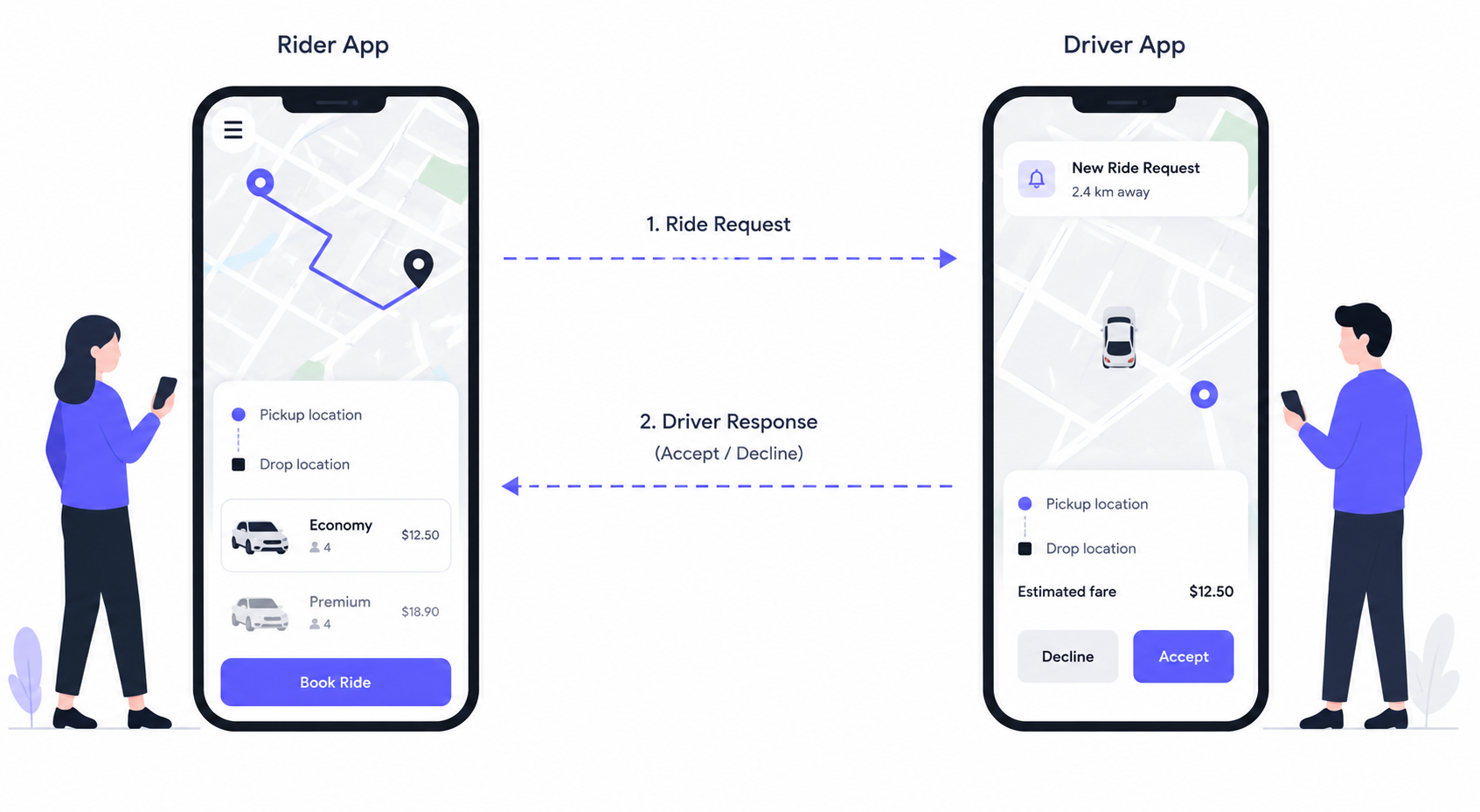
Riders should be able to input a start location and a destination and get a fare estimate.
-
Riders should be able to request a ride based on the estimated fare.
-
Upon request, riders should be matched with a driver who is nearby and available.
-
Drivers should be able to accept/decline a request and navigate to pickup/drop-off.
Out-of-Scope
- Riders should be able to request different categories of rides (e.g., X, XL, Comfort).
Non-Functional Requirements
-
The system should prioritize low latency matching (
< 1 minutesto match or failure) -
The system should ensure strong consistency in ride matching to prevent any driver from being assigned multiple rides simultaneously.
-
The system should be able to handle high throughput, especially during peak hours or special events (100k requests from same location).
Sequence Flow
Let's walk through the sequence of events that occur when a user requests a ride and the system matches them with a nearby driver:
-
The user confirms their ride request in the client app, which sends a POST request to our backend system with the ID of the fare they are accepting.
-
The API gateway performs necessary authentication and rate limiting before forwarding the request to the Ride Service.
-
The Ride Service creates a ride object as mentioned above, and then forwards the request to the Ride Matching Service to trigger the matching workflow (we'll discuss ways to make this more robust later, keeping it simple for now).
-
Meanwhile, at all times, drivers are sending their current location to the location service, and we are updating our database with their latest location lat & long so we know where they are.
-
The matching workflow then uses these updated locations to query for the closest available drivers in an attempt to find an optimal match.
Riders should be able to input a start location and a destination and get an estimated fare.
The first thing that users will do when they open the app to request a ride is search for their desired destination. At this point, the client will make a request to our service to get an estimated price for the ride. The user will then have a chance to request a ride with this fare or do nothing.
-
The rider enters their pickup location and desired destination into the client app, which sends a
POSTrequest to our backend system via/fare. -
The API gateway receives the request and handles any necessary authentication and rate limiting before forwarding the request to the
RideService. -
The Ride Service makes a request to the Third Party Mapping API to calculate the distance and travel time between the pickup and destination locations and then applies the company's pricing model to the distance and travel time to generate a fare estimate.
-
The Ride Service creates a new
Fareentity in the Database with the details about the estimated fare. -
The service then returns the
Fareentity to the API Gateway, which forwards it to theRiderClient so they can make a decision about whether accept the fare and request a ride.
Riders should be able to request a ride based on the estimated fare
Once a user reviews the estimated fare and ETA, they can request a ride.
-
The user confirms their ride request in the client app, which sends a
POSTrequest to our backend system with the id of theFarethey are accepting. -
The API gateway performs necessary authentication and rate limiting before forwarding the request to the
RideService. -
The Ride Service receives the request and creates a new entry in the Ride table, linking to the relevant
Farethat was accepted, and initializing the Ride's status as requested. -
Next, it triggers the matching flow so that we can assign a driver to the ride.
Upon request, riders should be matched with a driver who is nearby and available
-
After the Ride Matching Service determines the ranked list of eligible drivers, it sends a notification to the top driver on the list via APNs or FCM.
-
The driver receives a notification that a new ride request is available. They open the Driver Client app and accept the ride request, which sends a PATCH request to our backend system with the rideID. If they decline the ride instead, the system will send a notification to the next driver on the list.
-
The API gateway receives the requests and routes it to the Ride Service.
-
The Ride Service receives the request and updates the status of the ride to "accepted" and updates the assigned driver accordingly. It then returns the pickup location coordinates to the Driver Client.
-
With the coordinates in hand, the Driver uses on client GPS to navigate to the pickup location.
Load Estimation
Storage Estimation
Bandwidth Estimation
Design Rationale
How to calculate estimated fare?
Make a request to the Third Party Mapping API (like Google Maps) to calculate the distance and travel time between the pickup and destination locations and then applies the company's pricing model to the distance and travel time to generate a fare estimate.
When a rider enters the pickup and drop locations, the Pricing Service is responsible for calculating an estimated fare before the ride is confirmed.
-
It begins by calling the Mapping Service, which determines the optimal route based on the road network, live traffic conditions, road closures, and historical travel patterns.
-
The Mapping Service returns the estimated travel distance and duration for the trip.
-
Using this information, the Pricing Service calculates the fare by combining a base fare, a distance-based charge (distance x per-mile rate), and a time-based charge (estimated duration x per-minute rate).
-
It then consults the Demand Service to determine whether surge pricing should be applied based on the current demand-supply imbalance in the rider's area. If demand significantly exceeds the number of available drivers, a surge multiplier is applied to the fare.
-
Finally, the service adds any applicable fees such as airport surcharges, tolls, booking fees, or taxes, and subtracts any promotional discounts or coupons before returning the estimated fare to the rider.
NOTE: It's important to note that this is only an estimate, not the final fare. The estimate is based on the predicted route and expected travel time, both of which may change once the ride begins. Factors such as unexpected traffic congestion, road closures, route deviations, rider-requested stops, or changes to the destination can increase or decrease the actual trip distance and duration. Therefore, after the ride is completed, the fare is recalculated using the actual distance traveled, the actual trip duration, and any applicable surcharges or tolls incurred during the ride. This approach allows Uber to provide riders with a reasonably accurate upfront estimate while ensuring that drivers are compensated fairly for the actual trip completed.
How to pick the best driver for the requested trip?
Once a rider requests a trip, the Matching Service is responsible for selecting the most suitable driver. The process begins by querying the Location Service, which uses a geospatial index (such as Geohash or S2) to quickly identify drivers within a configurable search radius around the pickup location. Drivers who are offline, already on another trip, or who have not sent a recent location update are filtered out.
The remaining candidate drivers are then ranked based on multiple factors rather than just physical distance. The most important criterion is the Estimated Time of Arrival (ETA) to the pickup location, since traffic conditions, one-way streets, and road connectivity often make ETA a better indicator than straight-line distance. The Matching Service obtains this ETA by calling the Mapping Service for each candidate driver.
After the Matching Service determines the ranked list of eligible drivers, it sends a notification to the top driver on the list.
How do we handle frequent driver location updates and efficient proximity searches on location data?
Primary approach: Directly writing each driver's location update to the database as it comes in, and performing proximity searches on this raw data. It's considered a bad approach because it doesn't scale well with the high volume of updates from millions of drivers, and it makes proximity searches inefficient and slow.
Better Approach: Instead of writing each driver location update directly to the database, updates are aggregated over a short interval and then batch-processed. The interval between batch writes introduces a delay, which means the location data in the database may not reflect the drivers' most current positions. This can lead to suboptimal driver matches.
Best Approach: Redis is an in-memory data store that supports geospatial data types and commands. It uses geohashing to encode latitude and longitude coordinates into a 52-bit integer score within a sorted set, where each member (e.g., driverId) is associated with its geohash score. This allows for efficient storage and querying of geospatial data.
High-Level Design
Ride Service
This microservice is tasked with managing ride state, starting with calculating fare estimates. It interacts with third-party mapping APIs (like Google Maps) to determine the distance and travel time between locations and applies the company's pricing model to generate a fare estimate.
Location Service
Manages the real-time location data of drivers. It is responsible for receiving location updates from drivers, storing this information in the database, and providing the Ride Matching Service with the latest location data to facilitate accurate and efficient driver matching.
Ride Matching Service
Handles incoming ride requests and utilizes a sophisticated algorithm to match these requests with the best available drivers based on proximity, availability, driver rating, and other relevant factors.
Notification Service
Responsible for dispatching real-time notifications to drivers when a new ride request is matched to them. It ensures that drivers are promptly informed so they can accept ride requests in a timely manner, thus maintaining a fluid user experience.
API Design
POST endpoint that takes in the user's current location and desired destination and returns a Fare object with the estimated fare and eta. We use POST here because we will be creating a new Fare entity in the database.
POST /fare -> Fare
Body: {
  pickupLocation,
  destination
}
Request Ride Endpoint: This endpoint is used by riders to confirm their ride request after reviewing the estimated fare. It initiates the ride matching process by signaling the backend to find a suitable driver, thus creating a new ride object.
POST /rides -> Ride
Body: {
  fareId
}
Update Driver Location Endpoint: Before we can do any matching, we need to know where our drivers are. This endpoint is used by drivers to update their location in real-time. It is called periodically by the driver client to ensure that the driver's location is always up to date.
POST /drivers/location -> Success/Error
Body: {
        lat, long
    }

- note the driverId is present in the session cookie or JWT and not in the body or path params
Accept Ride Request Endpoint: This endpoint allows drivers to accept a ride request. Upon acceptance, the system updates the ride status and provides the driver with the pickup location coordinates.
PATCH /rides/:rideId -> Ride
Body: {
  accept/deny
}
NOTE: The
Rideobject would contain information about the pickup location and destination so the client can display this information to the driver.
Data Model Design
Final Architecture
Frequently Asked Questions
Q. Two riders in the same neighbourhood both request a ride at the exact same time, and there is only one driver nearby. How do you guarantee only one rider gets matched to that driver?
Similar Case Studies
-
Design Google Maps
-
Design Proximity Service like TripAdvisor or Yelp